Documentation
How to design furniture in Mortise, board by board.
Mortise is a woodworking app for designing furniture in the browser. You add real stock, cut it with the operations a woodworker uses, fasten it with real hardware, and take the cut list and cut sheet to the shop. These pages explain each part of that, with the app’s own names for things.
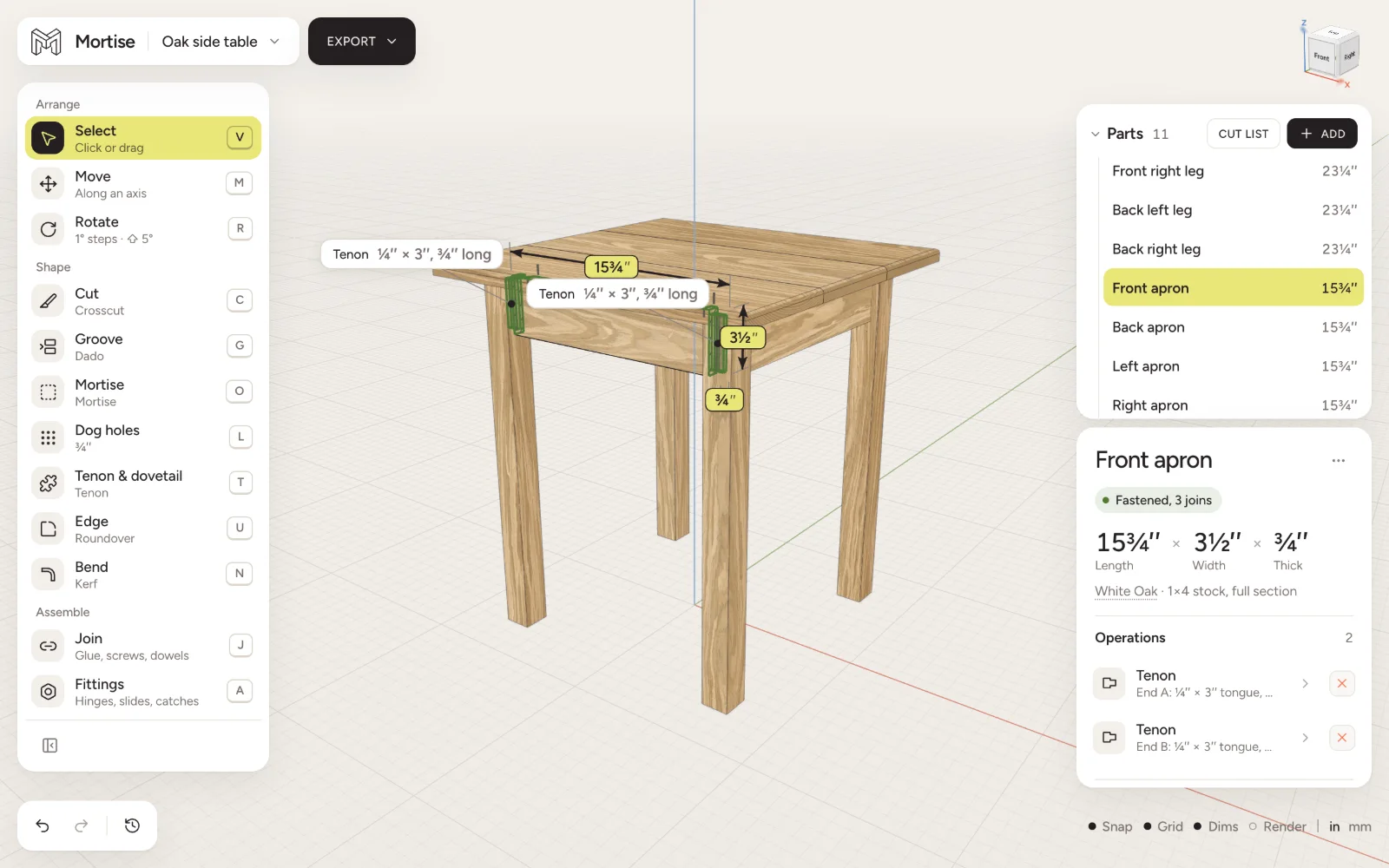
New to Mortise?
Read these five in order and you will have built, cut, joined and listed a small project.
- Getting started with MortiseSign in, start a project, add your first board and make your first cut in Mortise, the woodworking CAD that runs in the browser. A ten minute tour of the editor.
- Adding lumber and sheet goodsAdd real stock to a Mortise project: dimensional lumber, hardwood by the quarter, metric timber and sheet goods, in the species and lengths a lumber yard sells.
- Crosscuts, rips, tapers and resawingSaw boards to size in Mortise: square, mitred, bevelled and compound crosscuts, rips with a tilted blade, tapers, and resawing or planing to thickness.
- Joining boards: glue, screws, dowels and moreFasten boards in Mortise with glue, screws, pocket screws, nails, dowels, biscuits, Dominos, bolts, cleats and tabletop clips, each sized to a standard and counted.
- Cut lists, shopping lists and cutting plansThe cut list Mortise reads off your model: every part to saw, the boards and sheets to buy with board feet and prices, the hardware, the tools, and a cutting plan.
Every page
Start here
Your account, your first board and cut, and how to get around the model.
- Getting started with MortiseSign in, start a project, add your first board and make your first cut in Mortise, the woodworking CAD that runs in the browser. A ten minute tour of the editor.
- Moving around the 3D viewOrbit, pan and zoom in Mortise with a trackpad, a Magic Mouse or a wheel mouse. Named views, the view cube, framing the model and measuring with the Option key.
- Projects, saving and historyHow Mortise keeps your work: projects saved to your account as you go, the projects page, renaming and duplicating, and undo, redo and the history panel.
Boards
Stock in its real sizes, put where it goes, named and grouped.
- Adding lumber and sheet goodsAdd real stock to a Mortise project: dimensional lumber, hardwood by the quarter, metric timber and sheet goods, in the species and lengths a lumber yard sells.
- Selecting, moving and rotating boardsSelect, move and rotate boards in Mortise. Gizmos, typed distances, snapping to faces and edges, nudging with the arrow keys, dragging copies and the floor.
- The parts list, groups and the inspectorName parts, nest them in groups, hide or mark them as reference, and read every board’s size, species, grain and connections in the Mortise inspector.
Cut and shape
Every cut a board can take, one operation at a time, each editable afterwards.
- Crosscuts, rips, tapers and resawingSaw boards to size in Mortise: square, mitred, bevelled and compound crosscuts, rips with a tilted blade, tapers, and resawing or planing to thickness.
- Outline and template cutsDraw a curve on the wood with the outline pen and cut it out, or cut one board to the shape of another with the template cut, the way a band saw and a flush trim bit do.
- Dadoes, rabbets, grooves and lapsCut dadoes, rabbets, grooves, tongues, T-slots, dovetail slots, half-laps and cross-laps in Mortise, across or along the grain, through or stopped.
- Mortises, holes and dog holesChop mortises and bore holes in any face of a board in Mortise, through or blind, and lay out a grid of 20 mm or ¾ inch bench dog holes on a jig’s centres.
- Tenons, box joints, bridles and dovetailsCut tenons, box joints, bridle joints and through dovetails on the ends of boards in Mortise, one board at a time, with the mating board starting out matched.
- Roundovers and chamfersRound over or chamfer any edge of a board in Mortise, the way a bearing guided router bit does, including curved edges, joint edges and profiles on profiles.
- Bending wood: kerf, steam and laminationBend a board or a glue-up in Mortise by kerfing, steam bending or bent lamination, set the legs and the inside radius, and keep cutting and joining the bent wood.
Assemble
Fasteners and furniture hardware, drilled into the wood and counted.
- Joining boards: glue, screws, dowels and moreFasten boards in Mortise with glue, screws, pocket screws, nails, dowels, biscuits, Dominos, bolts, cleats and tabletop clips, each sized to a standard and counted.
- Hinges, drawer slides and other fittingsHang doors, fit drawers and lids in Mortise with hinges, drawer slides, lid stays, catches, brackets, knock-down connectors and shelf pins drilled into the wood.
Cut list and cut sheet
What to saw and what to buy, read off the model, and the PDF to take to the shop.
- Cut lists, shopping lists and cutting plansThe cut list Mortise reads off your model: every part to saw, the boards and sheets to buy with board feet and prices, the hardware, the tools, and a cutting plan.
- Printable cut sheetsExport a dimensioned PDF cut sheet from Mortise: every part drawn to scale with its joinery, numbered boards, cutting layouts with the kerf allowed for, and the shopping list.
Reference
Lumber sizes, units and typed values, and every shortcut.
- Lumber sizes and sheet goodsThe actual sizes of the lumber Mortise stocks: what a 2×4, a 1×6 or 8/4 hardwood really measures, European planed timber, sheet goods and their thicknesses, and species.
- Units, fractions and typed mathWork in inches or millimetres in Mortise: fractions to 1/64 inch, typed arithmetic and mixed units in every field, the calculator, and the precision drags land on.
- Keyboard shortcutsEvery keyboard shortcut and mouse gesture in Mortise: the tools, the views, snapping, grouping, undo and redo, nudging, and trackpad and wheel mouse navigation.
Designing with an AI agent
The editor offers its tools to AI agents in the browser through WebMCP, so Claude or ChatGPT can build and check a design with the same actions these pages describe.
The WebMCP tools