Keyboard shortcuts
Every key Mortise answers to. On Windows and Linux, Ctrl works wherever ⌘ is shown. The same list is in the editor under Keyboard and mouse help in the project menu.
Updated
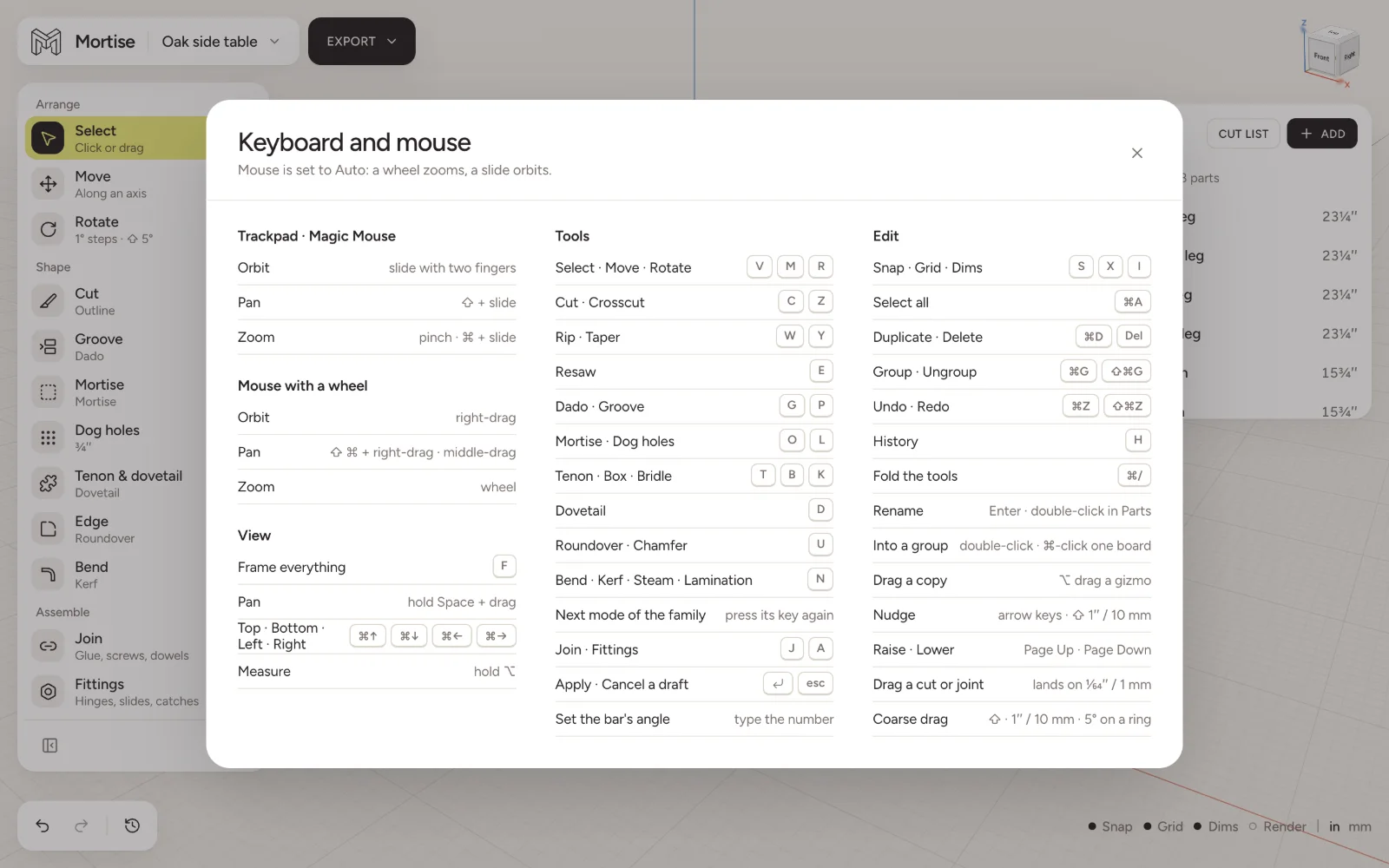
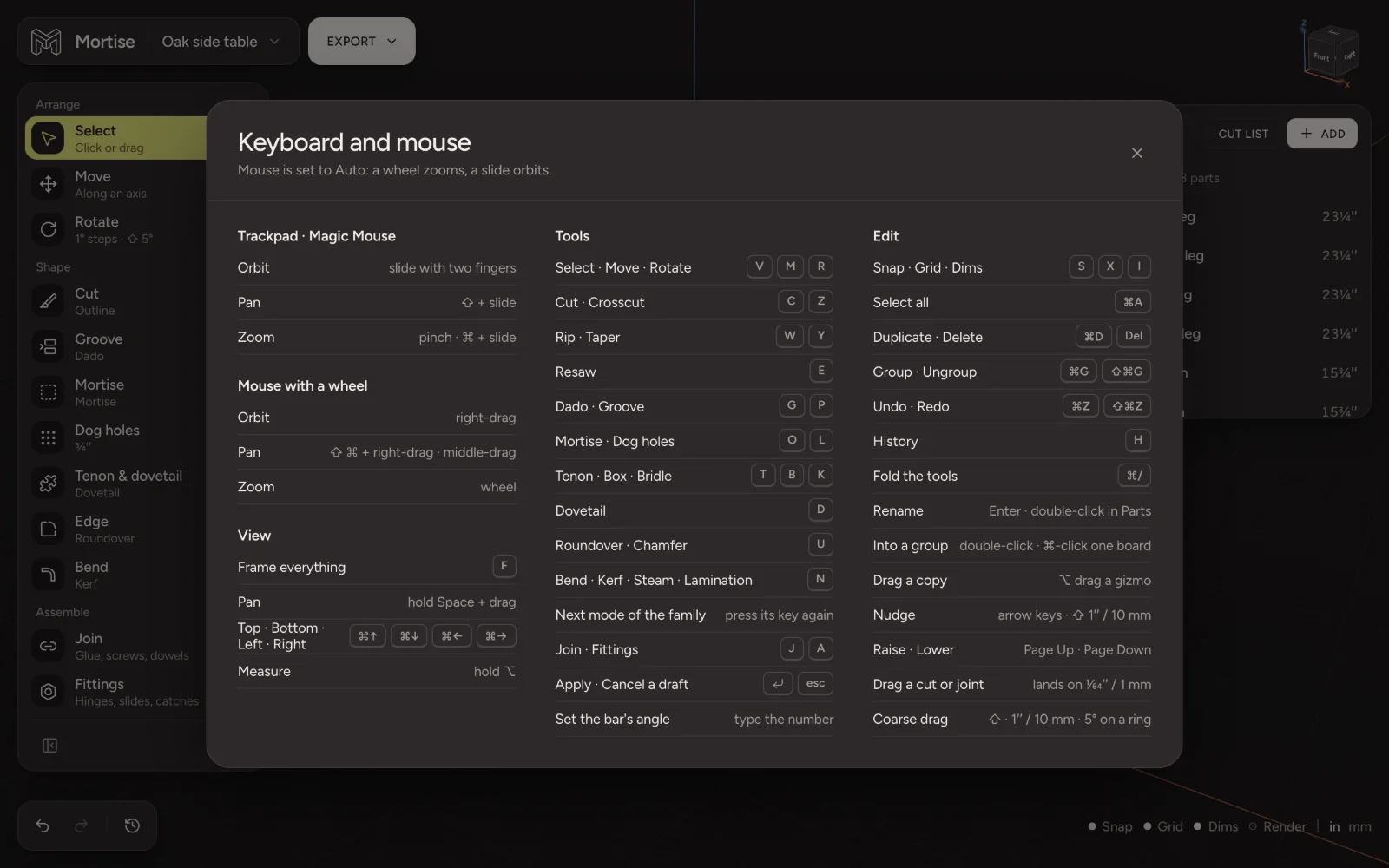
Tools
- Select · Move · Rotate
- V M R
- Cut, in its last mode
- C
- Crosscut
- Z
- Rip · Taper
- W Y
- Resaw
- E
- Dado · Groove
- G P
- Mortise and hole · Dog holes
- O L
- Tenon · Box · Bridle · Dovetail
- T B K D
- Roundover · Chamfer
- U
- Bend: kerf, steam, lamination
- N
- Join · Fittings
- J A
- Next mode of the family
- press its key again
Outline and Template cuts are on the Cut family’s bar and have no key of their own.
While cutting
- Apply
- Enter
- Cancel
- esc
- Set the bar’s angle
- type the number
- Drag a cut or joint
- lands on 1/64″ or 1 mm
- Coarse drag
- ⇧: 1″ or 10 mm, 5° on a ring
Edit
- Undo · Redo
- ⌘Z ⇧⌘Z
- History
- H
- Select all
- ⌘A
- Duplicate · Delete
- ⌘D Del
- Group · Ungroup
- ⌘G ⇧⌘G
- Rename
- Enter, or double-click in Parts
- Into a group
- double-click, or ⌘-click one board
- Drag a copy
- ⌥ + drag a gizmo
- Nudge
- arrow keys; ⇧ for 1″ or 10 mm
- Raise · Lower
- Page Up Page Down
- Fold the tool column
- ⌘/
View
- Snap · Grid · Dims
- S X I
- Frame everything
- F
- Top · Bottom
- ⌘↑ ⌘↓
- Left · Right
- ⌘← ⌘→
- Pan
- hold Space and drag
- Measure between boards
- hold ⌥
Trackpad and mouse
See Moving around the 3D view for the Mouse setting that decides how a scroll is read.
Questions
- What is the shortcut for undo in Mortise?
- ⌘Z on a Mac, Ctrl + Z elsewhere. Redo is ⇧⌘Z.
- How do I switch between modes of a tool?
- Press the tool’s key again. C steps through Crosscut, Rip, Outline, Template and Resaw; G through the groove modes.