Printable cut sheets
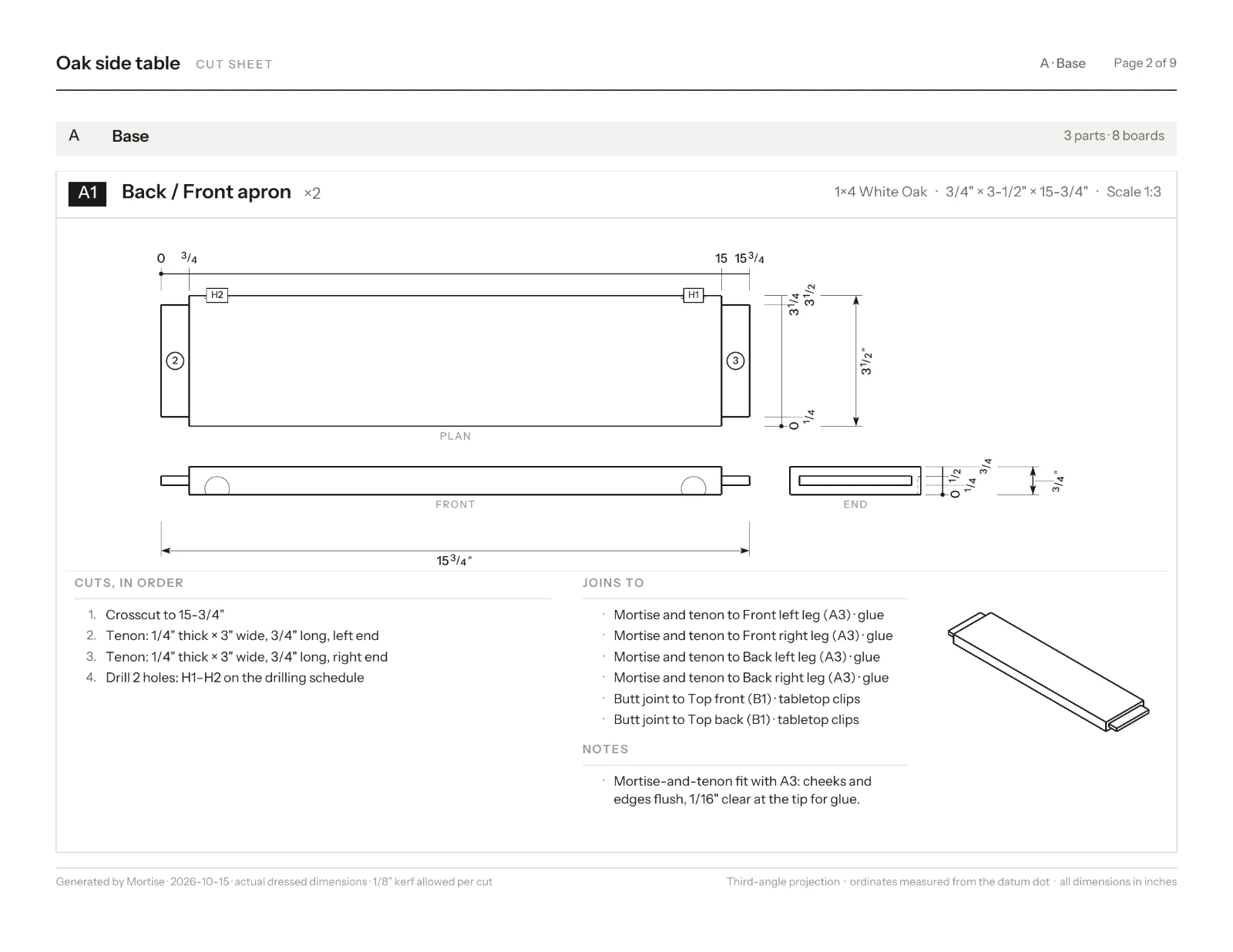
The cut sheet is a PDF to take to the shop: a parts schedule and shopping list on the first page, then every part drawn to scale in three views with its cuts, joinery and holes dimensioned, and the board layouts with each cut numbered.
Updated
Make a cut sheet
- Press Export in the top bar.
- Pick Cut sheet: numbered cutting diagrams for every board.
- Wait while Mortise draws each part. A large project takes a minute or two.
- Press Download PDF or Print.
The same menu makes the Cutting plan, the board and sheet layouts on their own. The file is named after the project.
What is on the pages
Paper is US Letter landscape for an inch project and A4 landscape for a metric one. Each page has the project, the section and the page number at the top, and the kerf allowed at the foot.
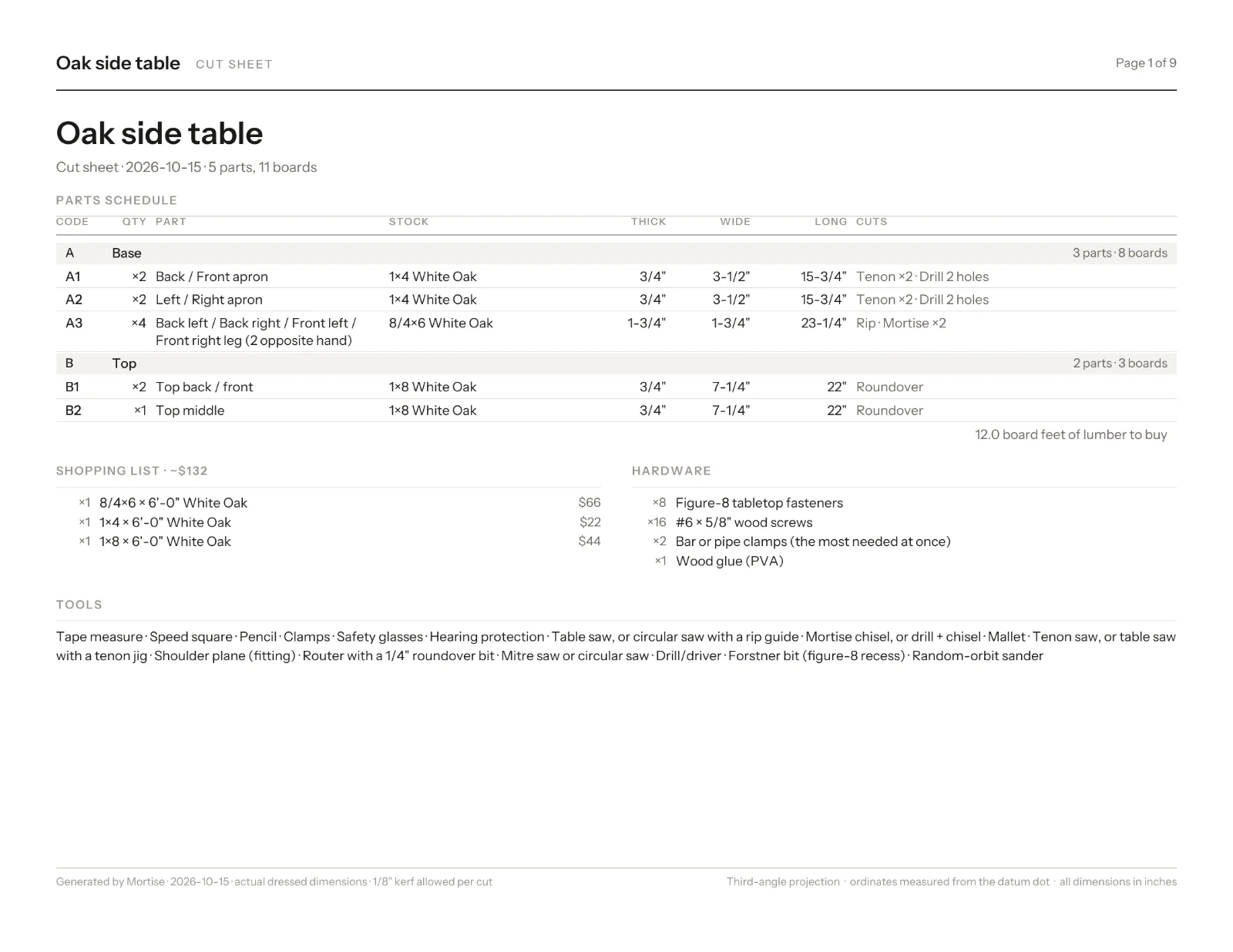
- Parts schedule
- Every part with its Code, quantity, stock, thickness, width, length and cuts, then the board feet to buy, the shopping list, the hardware and the tools.
- Part cards
- One card per distinct part: plan, front and end views in third-angle projection with hidden lines dashed, an isometric, the grain arrow, and the cuts in order, what it joins to, its hardware and notes. Holes have a drilling table; outlines a table of points.
- Board layouts
- Each board and sheet with its parts laid out, the cut order numbered and the offcuts hatched.
Part codes
Parts are lettered by the groups in your parts list, so a cabinet’s parts are A1, A2 and so on and the drawers’ are B1, B2. Identical parts share a code with a count. Name and group your parts before you export and the cut sheet reads like the piece.
Reading the drawings
- Dimensions are ordinates measured from a datum dot, so marks do not add up errors.
- Sizes are the actual dressed dimensions, in the project’s units: fractions to 1/64 inch or whole millimetres.
- A bent part is drawn as bent, with its flat length to cut.
- A joint fitted by hand says to plane the end to fit.
Questions
- Can I print a cut list from Mortise?
- Yes. Print in the cut list prints the list as it is, and Export › Cut sheet makes a dimensioned PDF of every part.
- What paper size is the cut sheet?
- US Letter landscape for inch projects and A4 landscape for metric projects.
- Does the cut sheet show joinery dimensions?
- Yes. Each part card dimensions its cuts, mortises, tenons, grooves and holes, with a drilling table for holes.